XrayR手动安装
关于XrayR
XrayR
A Xray backend framework that can easily support many panels.
一个基于Xray的后端框架,支持V2ay,Trojan,Shadowsocks协议,极易扩展,支持多面板对接。
项目地址: https://github.com/XrayR-project
源码文件
手动安装
下载并使用
- 在此处,根据自身系统选择合适的版本:Release
- 解压压缩包,之后运行:
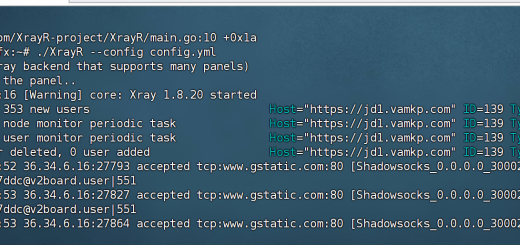
./XrayR --config config.yml
编译并使用
- 大于 go 1.19
- 依次运行
git clone https://github.com/XrayR-project/XrayRcd XrayR/maingo mod tidy
go build -o XrayR -ldflags "-s -w"
./XrayR --config config.yml配置文件格式
- 主配置文件采用
yaml格式,命名为xxx.yml。 - 默认XrayR会使用软件运行目录下的
config.yml作为配置文件。
配置文件基本格式,Nodes下可以同时添加多个面板,多个节点配置信息,只需添加相同格式的Nodes item即可。
Log:
  Level: none # Log level: none, error, warning, info, debug
  AccessPath: # /etc/XrayR/access.Log
  ErrorPath: # /etc/XrayR/error.log
DnsConfigPath: # /etc/XrayR/dns.json # Path to dns config, check https://xtls.github.io/config/dns.html for help
RouteConfigPath: # /etc/XrayR/route.json # Path to route config, check https://xtls.github.io/config/routing.html for help
InboundConfigPath: # /etc/XrayR/custom_inbound.json # Path to custom inbound config, check https://xtls.github.io/config/inbound.html for help
OutboundConfigPath: # /etc/XrayR/custom_outbound.json # Path to custom outbound config, check https://xtls.github.io/config/outbound.html for help
ConnectionConfig:
  Handshake: 4 # Handshake time limit, Second
  ConnIdle: 10 # Connection idle time limit, Second
  UplinkOnly: 2 # Time limit when the connection downstream is closed, Second
  DownlinkOnly: 4 # Time limit when the connection is closed after the uplink is closed, Second
  BufferSize: 64 # The internal cache size of each connection, kB
Nodes:
  -
    PanelType: "SSpanel" # Panel type: SSpanel, NewV2board, V2board, PMpanel, Proxypanel
    ApiConfig:
      ApiHost: "http://127.0.0.1:667"
      ApiKey: "123"
      NodeID: 41
      NodeType: V2ray # Node type: V2ray, Trojan, Shadowsocks, Shadowsocks-Plugin
      Timeout: 30 # Timeout for the api request
      EnableVless: false # Enable Vless for V2ray Type
      EnableXTLS: false # Enable XTLS for V2ray and Trojan
      SpeedLimit: 0 # Mbps, Local settings will replace remote settings, 0 means disable
      DeviceLimit: 0 # Local settings will replace remote settings, 0 means disable
      RuleListPath: # /etc/XrayR/rulelist Path to local rulelist file
    ControllerConfig:
      ListenIP: 0.0.0.0 # IP address you want to listen
      SendIP: 0.0.0.0 # IP address you want to send pacakage
      UpdatePeriodic: 60 # Time to update the nodeinfo, how many sec.
      EnableDNS: false # Use custom DNS config, Please ensure that you set the dns.json well
      DNSType: AsIs # AsIs, UseIP, UseIPv4, UseIPv6, DNS strategy
      DisableUploadTraffic: false # Disable Upload Traffic to the panel
      DisableGetRule: false # Disable Get Rule from the panel
      DisableIVCheck: false # Disable the anti-reply protection for Shadowsocks
      DisableSniffing: false # Disable domain sniffing
      EnableProxyProtocol: false
      AutoSpeedLimitConfig:
        Limit: 0 # Warned speed. Set to 0 to disable AutoSpeedLimit (mbps)
        WarnTimes: 0 # After (WarnTimes) consecutive warnings, the user will be limited. Set to 0 to punish overspeed user immediately.
        LimitSpeed: 0 # The speedlimit of a limited user (unit: mbps)
        LimitDuration: 0 # How many minutes will the limiting last (unit: minute)
      GlobalDeviceLimitConfig:
        Enable: false # Enable the global device limit of a user
        RedisAddr: 127.0.0.1:6379 # The redis server address
        RedisPassword: YOUR PASSWORD # Redis password
        RedisDB: 0 # Redis DB
        Timeout: 5 # Timeout for redis request
        Expiry: 60 # Expiry time (second)
      EnableFallback: false # Only support for Trojan and Vless
      FallBackConfigs:  # Support multiple fallbacks
        -
          SNI: # TLS SNI(Server Name Indication), Empty for any
          Alpn: # Alpn, Empty for any
          Path: # HTTP PATH, Empty for any
          Dest: 80 # Required, Destination of fallback, check https://xtls.github.io/config/fallback/ for details.
          ProxyProtocolVer: 0 # Send PROXY protocol version, 0 for dsable
      CertConfig:
        CertMode: dns # Option about how to get certificate: none, file, http, dns. Choose "none" will forcedly disable the tls config.
        RejectUnknownSni: false # Reject unknown SNI
        CertDomain: "node1.test.com" # Domain to cert
        CertFile: /etc/XrayR/cert/node1.test.com.cert # Provided if the CertMode is file
        KeyFile: /etc/XrayR/cert/node1.test.com.key
        Provider: alidns # DNS cert provider, Get the full support list here: https://go-acme.github.io/lego/dns/
        Email: test@me.com
        DNSEnv: # DNS ENV option used by DNS provider
          ALICLOUD_ACCESS_KEY: aaa
          ALICLOUD_SECRET_KEY: bbb
  -
    PanelType: "V2board" # Panel type: SSpanel, V2board
    ApiConfig:
      ApiHost: "http://V2board.com"
      ApiKey: "123"
      NodeID: 42
      NodeType: Trojan # Node type: V2ray, Shadowsocks, Trojan
      Timeout: 30 # Timeout for the api request
      EnableVless: false # Enable Vless for V2ray Type, Prefer remote configuration
      EnableXTLS: false # Enable XTLS for V2ray and Trojan, Prefer remote configuration
    ControllerConfig:
      ListenIP: 0.0.0.0 # IP address you want to listen
      UpdatePeriodic: 60 # Time to update the nodeinfo, how many sec.
      EnableDNS: false # Enable custom DNS config, Please ensure that you set the dns.json well
      CertConfig:
        CertMode: dns # Option about how to get certificate: none, file, http, dns. Choose "none" will forcedly disable the tls config.
        CertDomain: "node2.test.com" # Domain to cert
        CertFile: /etc/XrayR/cert/node2.test.com.cert # Provided if the CertMode is file
        KeyFile: /etc/XrayR/cert/node2.test.com.key
        Provider: alidns # DNS cert provider, Get the full support list here: https://go-acme.github.io/lego/dns/
        Email: test@me.com
        DNSEnv: # DNS ENV option used by DNS provider
          ALICLOUD_ACCESS_KEY: aaa
          ALICLOUD_SECRET_KEY: bbb
配置文件设置说明
基础配置
基础配置是对所有节点生效的配置。
Log:
  Level: debug # Log level: none, error, warning, info, debug
  AccessPath: # /etc/XrayR/access.Log
  ErrorPath: # /etc/XrayR/error.log
DnsConfigPath: # /etc/XrayR/dns.json # Path to dns config, check https://xtls.github.io/config/dns.html for help
RouteConfigPath: # /etc/XrayR/route.json # Path to route config, check https://xtls.github.io/config/routing.html for help
InboundConfigPath: # /etc/XrayR/custom_inbound.json # Path to custom inbound config, check https://xtls.github.io/config/inbound.html for help
OutboundConfigPath: # /etc/XrayR/custom_outbound.json # Path to custom outbound config, check https://xtls.github.io/config/outbound.html for help
ConnectionConfig:
  Handshake: 4 # Handshake time limit, Second
  ConnIdle: 10 # Connection idle time limit, Second
  UplinkOnly: 2 # Time limit when the connection downstream is closed, Second
  DownlinkOnly: 4 # Time limit when the connection is closed after the uplink is closed, Second
  BufferSize: 64 # The internal cache size of each connection, kB
日志配置
日志配置用于控制XrayR-core的日志级别,access.log和error.log需要设置日志级别大于warning才会被记录。
Log:
  Level: debug # Log level: none, error, warning, info, debug
  AccessPath: # /etc/XrayR/access.Log
  ErrorPath: # /etc/XrayR/error.log
| 参数 | 选项 | 说明 |
|---|---|---|
Level | none,error,warning,info,debug | 日志显示级别,none为不显示 |
AccessPath | 无 | Access日志的保存路径 |
ErrorPath | 无 | Error日志的保存路径 |
自定义DNS配置
指定自定义DNS配置文件的路径
DnsConfigPath: # /etc/XrayR/dns.json Path to dns config
| 参数 | 选项 | 说明 |
|---|---|---|
DnsConfigPath | 无 | 自定义DNS配置文件的路径 |
自定义路由配置
指定路由配置文件文件路径
RouteConfigPath: # /etc/XrayR/route.json # Path to route config, check https://xtls.github.io/config/base/route/ for help
| 参数 | 选项 | 说明 |
|---|---|---|
RouteConfigPath | 无 | 自定义路由配置文件的路径 |
自定义入口设置
InboundConfigPath: # /etc/XrayR/custom_inbound.json # Path to custom inbound config, check https://xtls.github.io/config/inbound.html for help
| 参数 | 选项 | 说明 |
|---|---|---|
InboundConfigPath | 无 | 自定义入口配置文件的路径 |
自定义出口配置
指定出口配置文件文件路径
OutboundConfigPath: # /etc/XrayR/custom_outbound.json # Path to custom outbound config, check https://xtls.github.io/config/base/outbound/ for help
| 参数 | 选项 | 说明 |
|---|---|---|
OutboundConfigPath | 无 | 自定义出口配置文件的路径 |
连接控制
自定义连接释放的相关配置,可以一定程度优化内存占用
ConnectionConfig:
  Handshake: 4 # Handshake time limit, Second
  ConnIdle: 10 # Connection idle time limit, Second
  UplinkOnly: 2 # Time limit when the connection downstream is closed, Second
  DownlinkOnly: 4 # Time limit when the connection is closed after the uplink is closed, Second
  BufferSize: 64 # The internal cache size of each connection, kB
| 参数 | 选项 | 说明 |
|---|---|---|
Handshake | 无 | 连接建立时的握手时间限制。单位为秒。默认值为 4。在入站代理处理一个新连接时,在握手阶段如果使用的时间超过这个时间,则中断该连接。 |
ConnIdle | 无 | 连接空闲的时间限制。单位为秒。默认值为 10。如果在 ConnIdle 时间内,没有任何数据被传输(包括上行和下行数据),则中断该连接。减少该值有可能可以优化内存占用,但是会导致用户连接延时变高。 |
UplinkOnly | 无 | 当连接下行线路关闭后的时间限制。单位为秒。默认值为 2。当服务器(如远端网站)关闭下行连接时,出站代理会在等待UplinkOnly时间后中断连接。 |
DownlinkOnly | 无 | 当连接上行线路关闭后的时间限制。单位为秒。默认值为 4。当服务器(如远端网站)关闭上行连接时,出站代理会在等待DownlinkOnly时间后中断连接。 |
BufferSize | 无 | 每个连接的内部缓存大小。单位为 kB。当值为 0 时,内部缓存被禁用。减少该值有可能可以优化内存占用,但有可能导致CPU占用上升 |
提示: 1. 减少ConnIdle有可能可以优化高连接数量时的内存占用,但是会导致用户连接延时变高。 2. 在 HTTP 浏览的场景中,可以将 UplinkOnly 和 DownlinkOnly 设为 0,以提高连接关闭的效率,减少内存占用。 3. 减少BufferSize可以优化内存占用,但是可能会导致CPU占用上升。
节点配置
每个节点是一个独立的配置,互相不会影响,XrayR支持单实例多节点启动,同时对接多个节点。
Nodes:
  -
    PanelType: "SSpanel" # Panel type: SSpanel, V2board, PMpanel
    ApiConfig:
      ApiHost: "http://127.0.0.1:667"
      ApiKey: "123"
      NodeID: 41
      NodeType: V2ray # Node type: V2ray, Trojan, Shadowsocks, Shadowsocks-Plugin
      Timeout: 30 # Timeout for the api request, Default is 5 sec
      EnableVless: false # Enable Vless for V2ray Type
      EnableXTLS: false # Enable XTLS for V2ray and Trojan
      SpeedLimit: 0 # Mbps, Local settings will replace remote settings, 0 means disable
      DeviceLimit: 0 # Local settings will replace remote settings, 0 means disable
      RuleListPath: # /etc/XrayR/rulelist Path to local rulelist file
    ControllerConfig:
      ListenIP: 0.0.0.0 # IP address you want to listen
      SendIP: 0.0.0.0 # IP address you want to send pacakage
      UpdatePeriodic: 60 # Time to update the nodeinfo, how many sec.
      EnableDNS: false # Use custom DNS config, Please ensure that you set the dns.json well
      DNSType: AsIs # AsIs, UseIP, UseIPv4, UseIPv6, DNS strategy
      DisableUploadTraffic: false # Disable Upload Traffic to the panel
      DisableGetRule: false # Disable Get Rule from the panel
      EnableProxyProtocol: false # Only works for WebSocket and TCP
      EnableFallback: false # Only support for Trojan and Vless
      FallBackConfigs:  # Support multiple fallbacks
        -
          SNI: # TLS SNI(Server Name Indication), Empty for any
          Path: # HTTP PATH, Empty for any
          Dest: 80 # Required, Destination of fallback, check https://xtls.github.io/config/fallback/ for details.
          ProxyProtocolVer: 0 # Send PROXY protocol version, 0 for dsable
      CertConfig:
        CertMode: dns # Option about how to get certificate: none, file, http, dns. Choose "none" will forcedly disable the tls config.
        CertDomain: "node1.test.com" # Domain to cert
        CertFile: /etc/XrayR/cert/node1.test.com.cert # Provided if the CertMode is file
        KeyFile: /etc/XrayR/cert/node1.test.com.key
        Provider: alidns # DNS cert provider, Get the full support list here: https://go-acme.github.io/lego/dns/
        Email: test@me.com
        DNSEnv: # DNS ENV option used by DNS provider
          ALICLOUD_ACCESS_KEY: aaa
          ALICLOUD_SECRET_KEY: bbb
  -
    PanelType: "V2board" # Panel type: SSpanel, V2board, PMpanel
    ApiConfig:
      ApiHost: "http://V2board.com"
      ApiKey: "123"
      NodeID: 42
      NodeType: Trojan # Node type: V2ray, Shadowsocks, Trojan
      Timeout: 30 # Timeout for the api request
      EnableVless: false # Enable Vless for V2ray Type
      EnableXTLS: false # Enable XTLS for V2ray and Trojan
      SpeedLimit: 0 # Local settings will replace remote settings, 0 means disable
      DeviceLimit: 0 # Local settings will replace remote settings, 0 means disable
      RuleListPath: # /etc/XrayR/rulelist Path to local rulelist file
    ControllerConfig:
      ListenIP: 0.0.0.0 # IP address you want to listen
      UpdatePeriodic: 60 # Time to update the nodeinfo, how many sec.
      EnableDNS: false # Enable custom DNS config, Please ensure that you set the dns.json well
      CertConfig:
        CertMode: dns # Option about how to get certificate: none, file, http, dns. Choose "none" will forcedly disable the tls config.
        CertDomain: "node2.test.com" # Domain to cert
        CertFile: /etc/XrayR/cert/node2.test.com.cert # Provided if the CertMode is file
        KeyFile: /etc/XrayR/cert/node2.test.com.key
        Provider: alidns # DNS cert provider, Get the full support list here: https://go-acme.github.io/lego/dns/
        Email: test@me.com
        DNSEnv: # DNS ENV option used by DNS provider
          ALICLOUD_ACCESS_KEY: aaa
          ALICLOUD_SECRET_KEY: bbb
面板选择
PanelType: "V2board" # Panel type: SSpanel, V2board, PMpanel, Proxypanel
| 参数 | 选项 | 说明 |
|---|---|---|
PanelType | SSPanel, NewV2board, V2board,PMpanel,Proxypanel, V2RaySocks | 对接前端面板类型 |
面板对接配置
ApiConfig:
    ApiHost: "http://127.0.0.1:667"
    ApiKey: "123"
    NodeID: 41
    NodeType: V2ray # Node type: V2ray, Trojan, Shadowsocks, Shadowsocks-Plugin
    Timeout: 30 # Timeout for the api request, Default is 5 sec
    EnableVless: false # Enable Vless for V2ray Type
    EnableXTLS: false # Enable XTLS for V2ray and Trojan
    SpeedLimit: 0 # Local settings will replace remote settings, 0 means disable
    DeviceLimit: 0 # Local settings will replace remote settings, 0 means disable
    RuleListPath: # /etc/XrayR/rulelist Path to local rulelist file
    DisableCustomConfig: false # Disable custom config
| 参数 | 选项 | 说明 |
|---|---|---|
ApiHost | 无 | 对接前端面板地址 |
ApiKey | 无 | 前端对接通讯秘钥 |
NodeID | 无 | 节点ID |
NodeType | V2ray,Shadowsocks, Shadowsocks-Plugin,Trojan | 节点类型 |
Timeout | 无 | 设定单次访问API超时时间,默认5秒 |
EnableVless | true,false | 是否给V2ray启用Vless协议 |
EnableXTLS | true,false | 是否使用XTLS |
SpeedLimit | float | 单位Mbps, 本地限速设置,会覆盖远程设置,0为不启用 |
DeviceLimit | int | 本地设备限制,会覆盖远程设置,0为不启用 |
RuleListPath | 无 | 本地规则设置,指定本地规则文件路径,规则文件格式 |
DisableCustomConfig | true,false | 是否启用custom_config,默认false |
后端相关配置
ControllerConfig:
  ListenIP: 0.0.0.0 # IP address you want to listen
  SendIP: 0.0.0.0 # IP address you want to send pacakage
  UpdatePeriodic: 60 # Time to update the nodeinfo, how many sec.
  EnableDNS: false # Use custom DNS config, Please ensure that you set the dns.json well
  DNSType: AsIs # AsIs, UseIP, UseIPv4, UseIPv6, DNS strategy
  DisableUploadTraffic: false # Disable Upload Traffic to the panel
  DisableGetRule: false # Disable Get Rule from the panel
  DisableIVCheck: false # Disable the anti-reply protection for Shadowsocks
  DisableSniffing: false # Disable domain sniffing
  EnableProxyProtocol: false
  AutoSpeedLimitConfig:
    Limit: 0 # Warned speed. Set to 0 to disable AutoSpeedLimit (mbps)
    WarnTimes: 0 # After (WarnTimes) consecutive warnings, the user will be limited. Set to 0 to punish overspeed user immediately.
    LimitSpeed: 0 # The speedlimit of a limited user (unit: mbps)
    LimitDuration: 0 # How many minutes will the limiting last (unit: minute)
  GlobalDeviceLimitConfig:
    Enable: false # Enable the global device limit of a user
    RedisAddr: 127.0.0.1:6379 # The redis server address
    RedisPassword: YOUR PASSWORD # Redis password
    RedisDB: 0 # Redis DB
    Timeout: 5 # Timeout for redis request
    Expiry: 60 # Expiry time (second)
  EnableFallback: false # Only support for Trojan and Vless
  FallBackConfigs:  # Support multiple fallbacks
    -
      SNI: # TLS SNI(Server Name Indication), Empty for any
      Path: # HTTP PATH, Empty for any
      Dest: 80 # Required, Destination of fallback, check https://xtls.github.io/config/fallback/ for details.
      ProxyProtocolVer: 0 # Send PROXY protocol version, 0 for dsable
| 参数 | 选项 | 说明 |
|---|---|---|
ListenIP | 无 | 选择监听的IP地址,0.0.0.0会同时监听v6和v4 |
SendIP | 无 | 用于发送数据的 IP 地址 |
UpdatePeriodic | 无 | 从前端更新节点、用户信息和上报用户使用信息的间隔,默认60秒 |
EnableDNS | true,false | 是否为当前节点启用自定义DNS,默认使用系统DNS |
DNSType | AsIs,UseIP,UseIPv4,UseIPv6 | DNS解析类型,AsIs:使用系统DNS,UseIP,UseIPv4,UseIPv6为使用自定义DNS,请确保EnableDNS为true,且正确配置了DnsConfigPath |
DisableUploadTraffic | false, true | 是否禁止上传节点流量,默认false |
DisableGetRule | false, true | 是否禁止获取远程规则,默认false |
DisableIVCheck | false, true | 是否关闭Shadowsocks用于防止重放攻击的布隆过滤器,默认false |
DisableSniffing | false, true | 是否关闭domain sniffing,默认false |
EnableProxyProtocol | true,false | 是否为当前节点启用ProxyProtocol获取中转IP |
AutoSpeedLimitConfig | list | 动态限速相关配置,请查看 动态限速 |
GlobalDeviceLimitConfig | list | 全局设备限制相关配置,请查看 全局设备限制 |
EnableFallback | true,false | 是否为当前节点启用Fallback,只对Vless和Trojan协议有效 |
FallBackConfigs | list | Fallback 相关配置,请查看 Fallback功能说明 |
证书申请相关配置
XrayR 支持多种自动申请证书配置。申请到的证书将会放在配置文件(config.yml)目录的cert文件夹下。
CertConfig:
    CertMode: dns # Option about how to get certificate: none, file, http, dns. Choose "none" will forcedly disable the tls config.
    RejectUnknownSni: false # Reject unknown SNI, default false
    CertDomain: "node2.test.com" # Domain to cert
    CertFile: /etc/XrayR/cert/node2.test.com.cert # Provided if the CertMode is file
    KeyFile: /etc/XrayR/cert/node2.test.com.key
    Provider: alidns # DNS cert provider, Get the full support list here: https://go-acme.github.io/lego/dns/
    Email: test@me.com
    DNSEnv: # DNS ENV option used by DNS provider
        ALICLOUD_ACCESS_KEY: aaa
        ALICLOUD_SECRET_KEY: bbb
| 参数 | 选项 | 说明 |
|---|---|---|
CertMode | none,file,http,dns | 获取证书的方式。file:手动提供,并制定路径。http:通过http申请,需要80端口。dns:使用dns模式申请,需要制定相关dns服务商配置。none:强制关闭tls设置,交由nginx或者caddy处理。 |
CertDomain | 无 | 申请证书域名 |
RejectUnknownSni | false, true | 是否拒绝未知的SNI,默认为false |
CertFile | 无 | 手动指定的证书路径 |
KeyFile | 无 | 手动指定的私钥路径 |
Provider | 无 | dns提供商,所有支持的dns提供商请在此获取:https://go-acme.github.io/lego/dns/ |
DNSEnv | 无 | 采用DNS申请证书需要的环境变量,请参考上文链接内,自己的dns提供商所需要的参数,填写于此。请注意一行一个,填写时需符合yaml文件格式。 |

Feeling lucky? DG Club Lottery is where it’s at. Been trying my hand at a few draws, and the odds seem decent. Fingers crossed! dg club lottery
Homebet88 Gacor, yeah they seem to have a good rep these days. Games are smooth, haven’t had any issues with payouts so far. Might be worth checking out if you’re looking for somewhere new. homebet88
Jilipg has got some colorful slots that’s for sure! Pretty fun to play when you’re bored. Not going to make you rich but is good for some downtime. jilipg
Heard some buzz about 8okgame so I gave it a shot. Pretty solid selection of games, and the bonuses ain’t bad either. Worth a look if you’re hunting for a new spot, mate: 8okgame
Tried Luckywin777login – seems luck was on my side! Decent site with some familiar games. Worth taking a spin if you’re looking for a new place. Check it out for yourself: luckywin777login
Downloaded the Lucky96apk app. It’s pretty smooth and runs well on my phone. Easy to install and get playing. Pretty fun and convenient. Check it out and download it!: lucky96apk