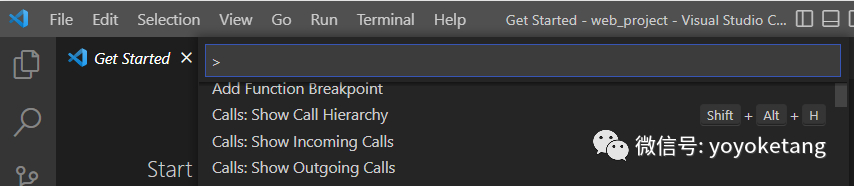
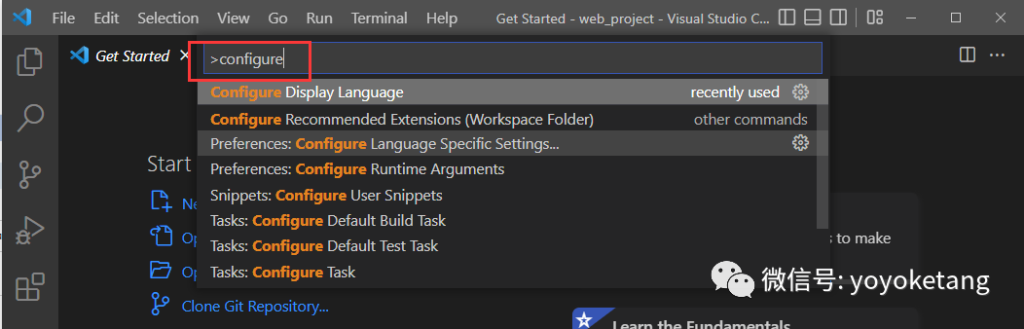
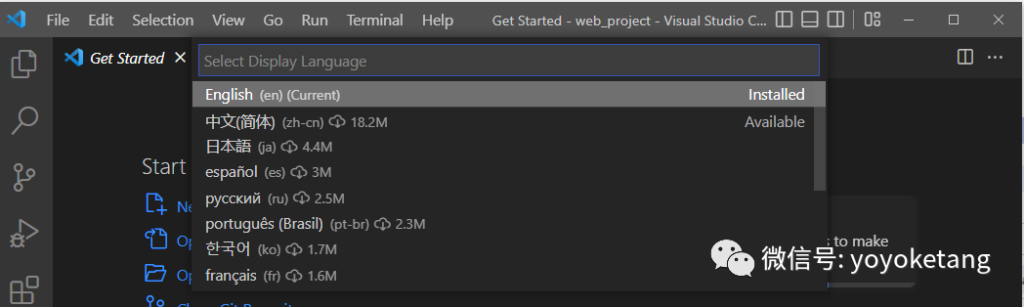
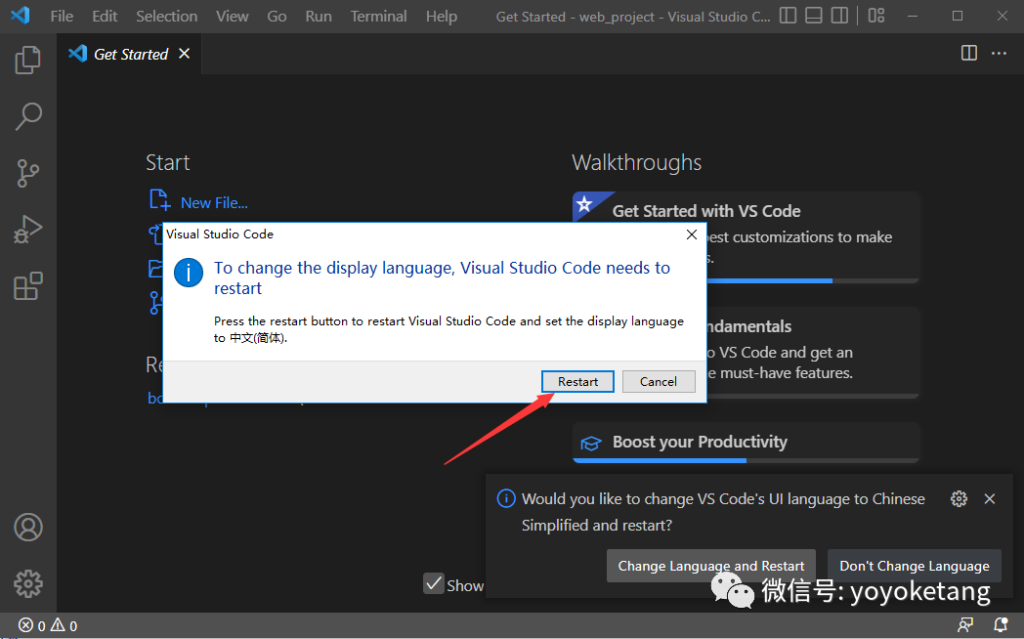
VSCode 使用教程-2.设置成中文 由 世界树 · 发布日期 2025年10月3日 · 已更新 2026年1月13日 前言 VSCode默认是英文语言环境,英文不太好的初学者,可以将VSCode设置成中文环境。 设置语言 打开VSCode软件,按快捷键【Ctrl+Shift+P】 会看到输入框左边有个>,不要删了,直接搜索configure 看到【Configure Display Language】点开它 这时候出现语言选项,选中文(简体) zh-cn, 点击后会下载中文语言插件

Q789Game looks kinda different. I’m looking for unique games. Let me check it ASAP: q789game
Okay, popped over to 777betonlinecasino. Honestly, better than I expected! Actually enjoyed it more than expected. Check 777betonlinecasino out!
Right, so I had a quick punt on 858bet1. Solid, reliable, does the job. Didn’t win big, but no complaints. Check it out here: 858bet1
SB79bet? I remember trying that one! It was alright, nothing too crazy, but a decent place to place a bet. Worth checking out, especially for the bonuses. Check it out right here: sb79bet
Yo, zalvcom! Just checked it out. Pretty slick! Definitely keeping an eye on zalvcom for more updates.
Yo, 665betlogin! Giving this a shot. Hopefully, it pays out! Good luck to everyone using 665betlogin.
Yo, saw some buzz about pk2wingame. Decent selection of games maybe? Let me know your experience. pk2wingame
Anyone tried bj326game lately? I’m looking for fresh places to play. Is it legit? bj326game
Spotted djgame in the feed. Looks promising. Need to check it out after work. You should too. djgame